
 Image 1 of 1
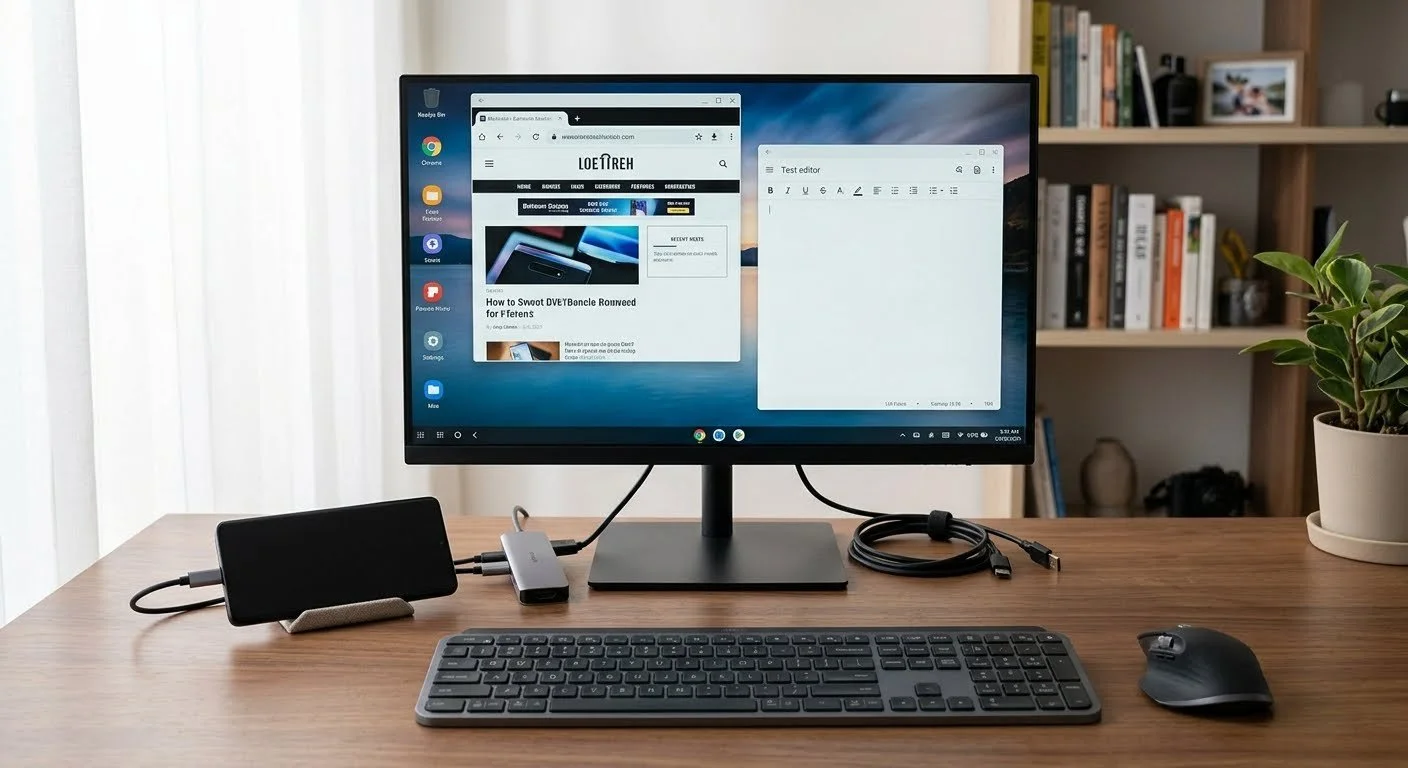
By connecting a modern phone to a TV or monitor via a USB-C hub or wireless casting, and pairing it with a Bluetooth keyboard and mouse, your smartphone transitions its interface into a full window-based desktop layout.
Some phone makers build this capability right into the operating system. The most well-known example is Samsung DeX, which launches a completely separate desktop environment when plugged into a larger display. Other systems like Motorola "Ready For" and stock Android desktop modes provide a very similar, highly productive computer experience using just your phone's processor.
Advantages
Maximum Portability: You carry your entire "computer," including all your active files, accounts, and saved passwords, right inside your pocket.
Zero Syncing Needed: There is no need to transfer files or sync documents between a separate phone and PC. Your photos, mobile apps, and work files are natively stored on the same single drive.
Significant Cost Savings: You can completely bypass purchasing a dedicated computer tower or laptop if your primary tasks consist of web browsing, processing documents, and streaming media.
Cellular Data Integration: The desktop setup uses your phone's native data plan or 5G connection seamlessly, eliminating the need to set up a separate Wi-Fi network or mobile hotspot.
Disadvantages
Software Limitations: You are restricted to mobile applications or web-based software. You cannot run full x86 desktop programs like heavy-duty PC games, advanced IDEs, or the unrestricted desktop versions of the Adobe Creative Suite.
Hardware Bottlenecks: Heavy multitasking can cause smartphones to thermal throttle or overheat, which slows down performance compared to a dedicated desktop with active cooling fans.
Aggressive Battery Drain: Running a large external display and processing desktop-grade tasks drains the battery rapidly. Using a powered USB-C hub to charge the phone while working is practically mandatory.
Call Interruption: Receiving regular phone calls or SMS messages can occasionally break your workflow or momentarily disrupt your layout on the large screen.
By connecting a modern phone to a TV or monitor via a USB-C hub or wireless casting, and pairing it with a Bluetooth keyboard and mouse, your smartphone transitions its interface into a full window-based desktop layout.
Some phone makers build this capability right into the operating system. The most well-known example is Samsung DeX, which launches a completely separate desktop environment when plugged into a larger display. Other systems like Motorola "Ready For" and stock Android desktop modes provide a very similar, highly productive computer experience using just your phone's processor.
Advantages
Maximum Portability: You carry your entire "computer," including all your active files, accounts, and saved passwords, right inside your pocket.
Zero Syncing Needed: There is no need to transfer files or sync documents between a separate phone and PC. Your photos, mobile apps, and work files are natively stored on the same single drive.
Significant Cost Savings: You can completely bypass purchasing a dedicated computer tower or laptop if your primary tasks consist of web browsing, processing documents, and streaming media.
Cellular Data Integration: The desktop setup uses your phone's native data plan or 5G connection seamlessly, eliminating the need to set up a separate Wi-Fi network or mobile hotspot.
Disadvantages
Software Limitations: You are restricted to mobile applications or web-based software. You cannot run full x86 desktop programs like heavy-duty PC games, advanced IDEs, or the unrestricted desktop versions of the Adobe Creative Suite.
Hardware Bottlenecks: Heavy multitasking can cause smartphones to thermal throttle or overheat, which slows down performance compared to a dedicated desktop with active cooling fans.
Aggressive Battery Drain: Running a large external display and processing desktop-grade tasks drains the battery rapidly. Using a powered USB-C hub to charge the phone while working is practically mandatory.
Call Interruption: Receiving regular phone calls or SMS messages can occasionally break your workflow or momentarily disrupt your layout on the large screen.